Annotello app icon

Capture it. Mark it up.
Share it in seconds.

Annotello is a fast, private screen capture and annotation app for Mac — arrows, callouts, automatic redaction, scrolling capture, screen recording, and step-by-step guides that write themselves.

Free · Version 1.2.1 · 5.0 MB · macOS 15 or later · Apple Silicon & Intel
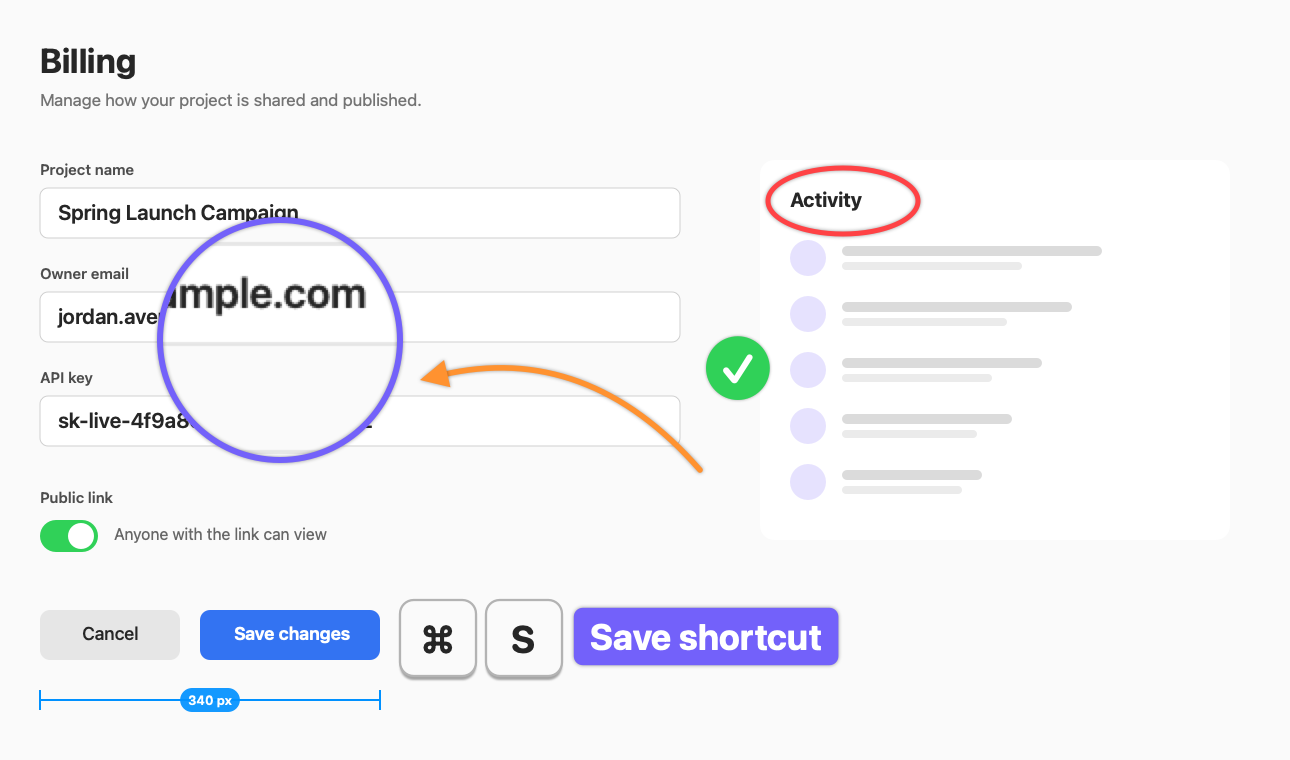
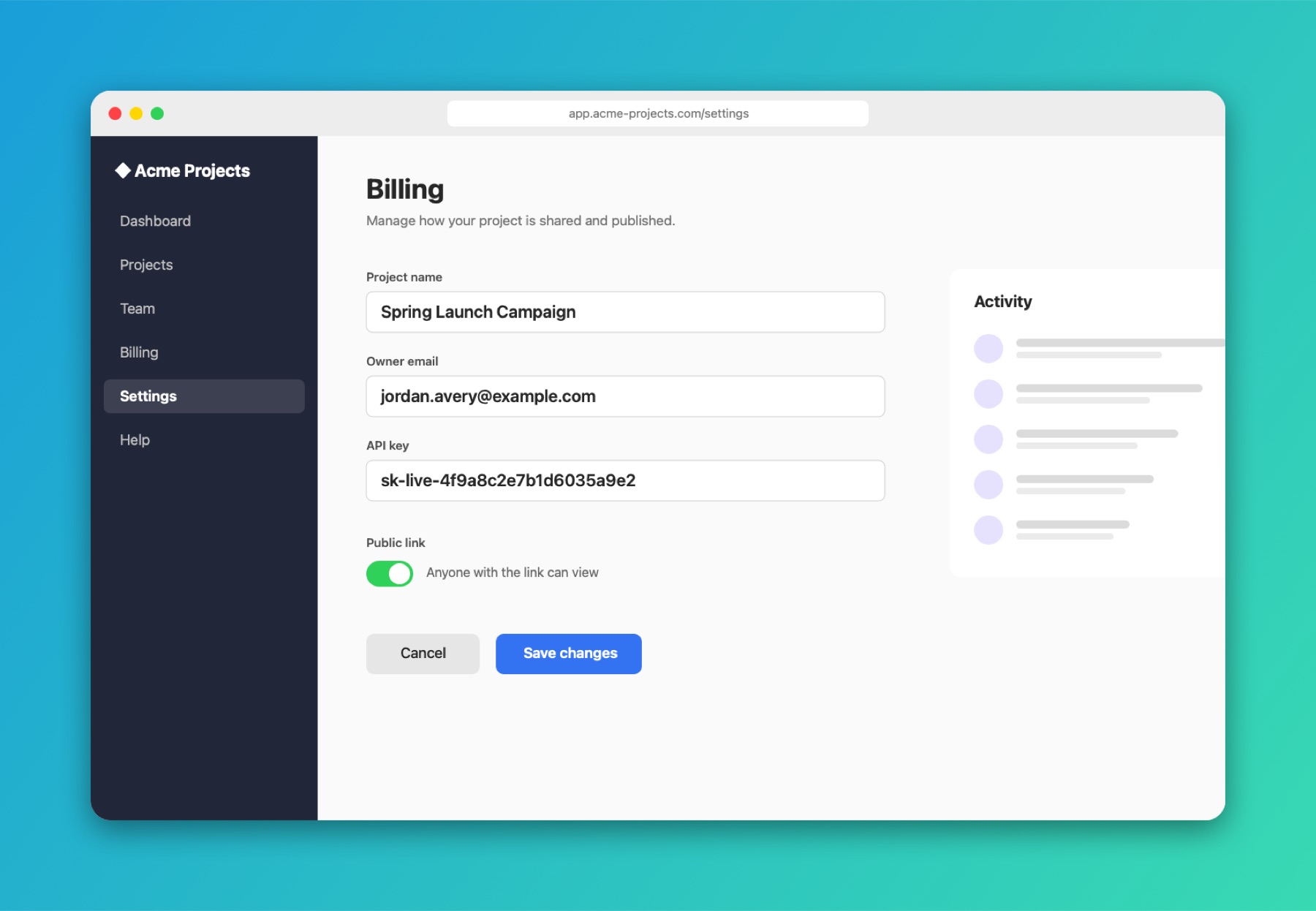
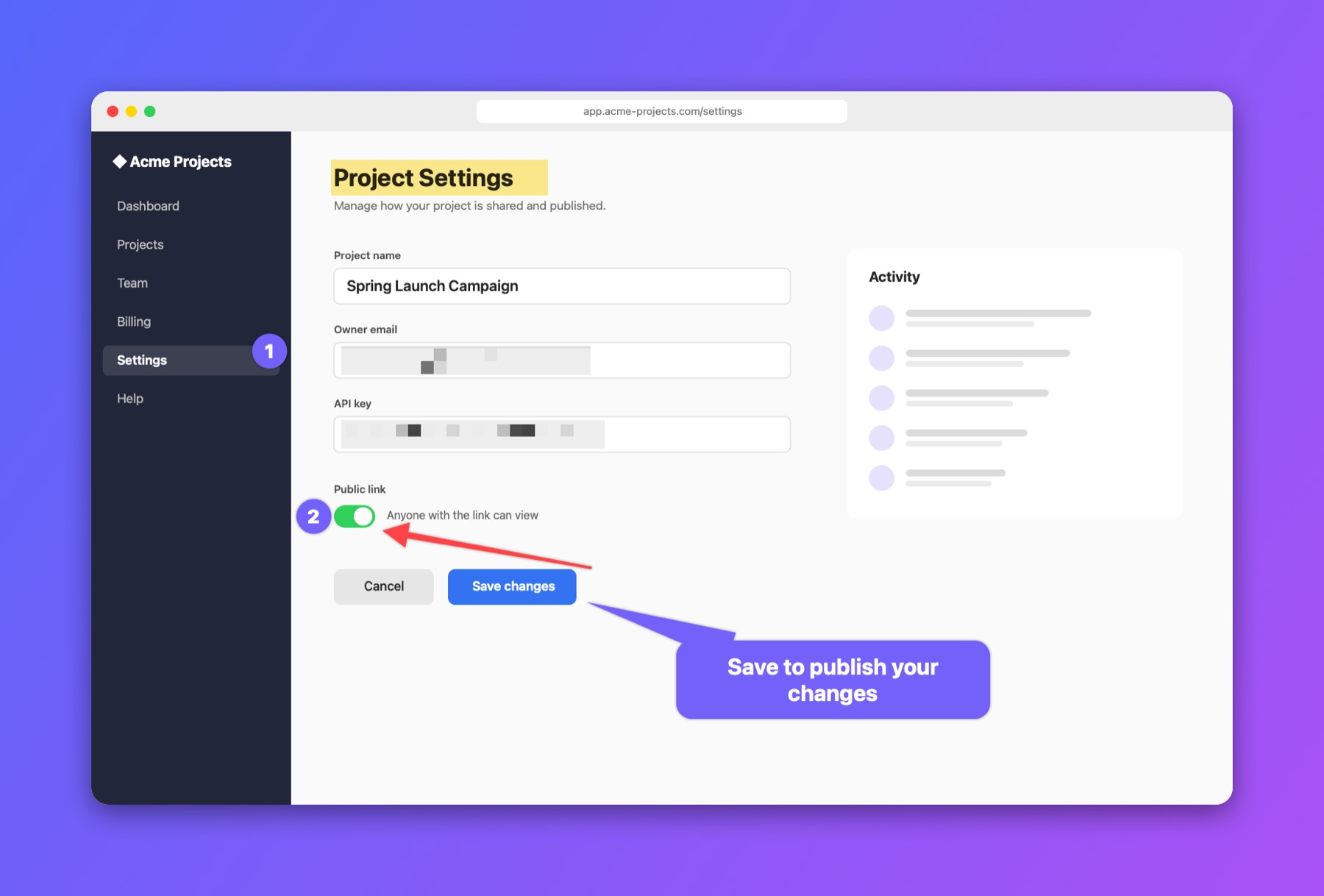
A settings page annotated in Annotello with numbered steps, a highlighted title, blurred email and API key, an arrow and a callout, on a purple gradient backdrop
New · Steps

Click through it once.
Get a how-to guide.

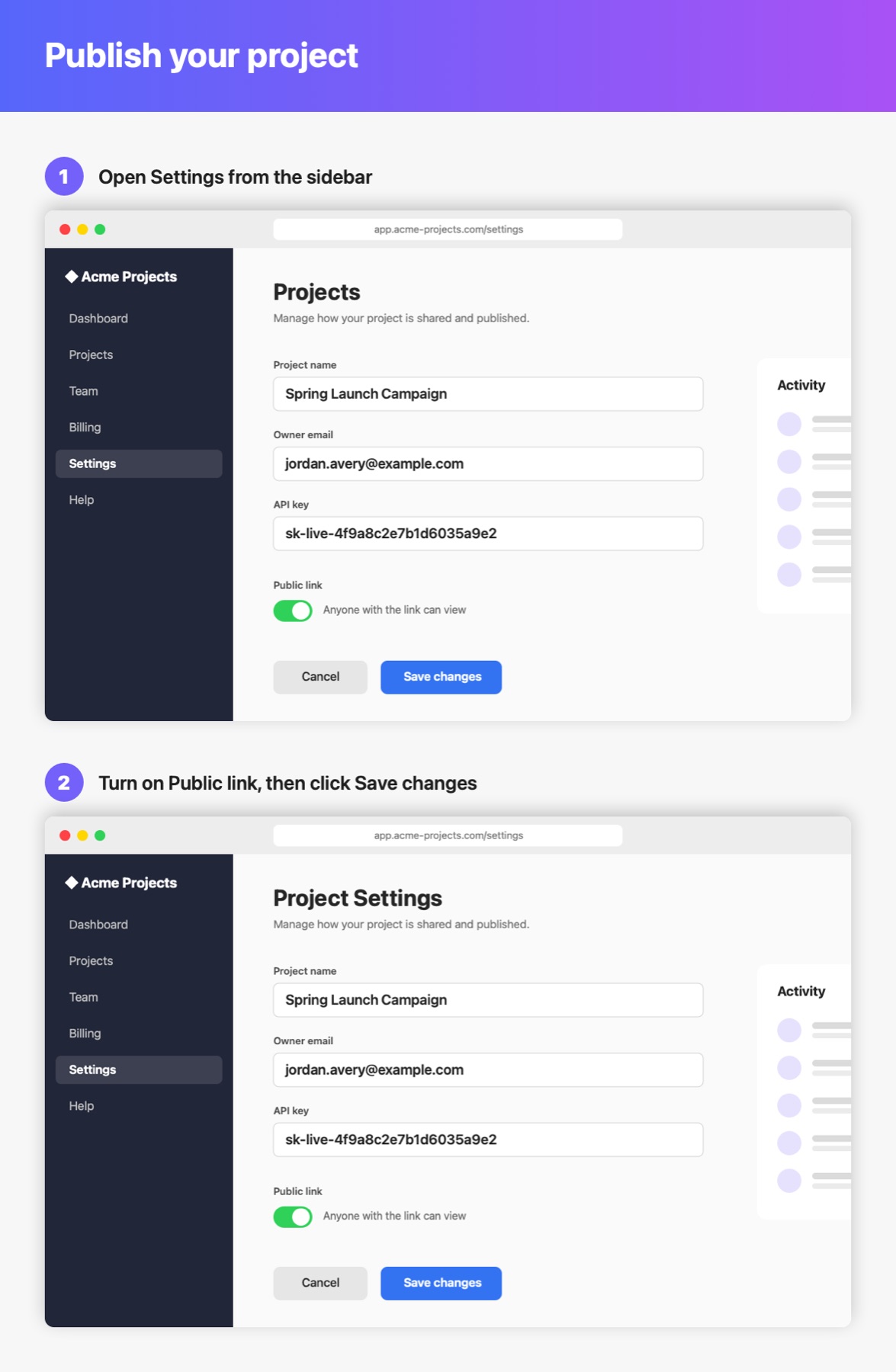
Press ⌃ ⇧ G and do the task as usual. Every click becomes a numbered, annotated step with a caption that says what you clicked.

1
Start Steps

From the menu bar or ⌃ ⇧ G.

2
Click through your task

In any app — each click is captured.

3
Review & share

Edit, then export a guide, PDF or web page.

Guides that are ready to send

  • Captions name what you clicked, like “Click Save changes” or “Choose Export…”
  • Emails, numbers and API keys are hidden automatically
  • Drag any marker, reorder steps, or open a step in the full editor
  • Export a guide image, PDF, web page with Markdown, or a Library collection
  • Optional: let Claude polish every caption
  • Typing is never recorded — only where you clicked
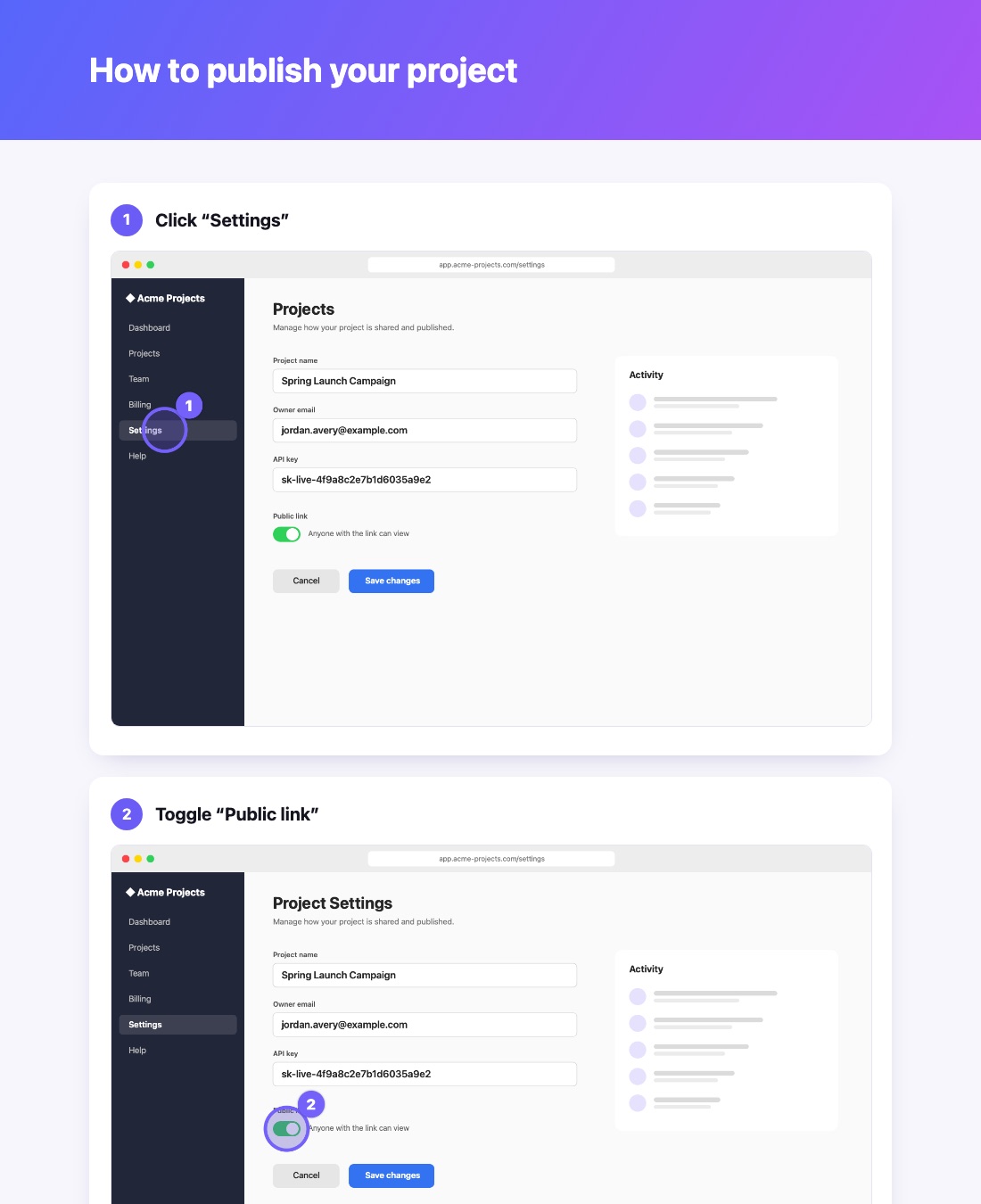
A how-to guide exported from Annotello Steps: a purple title banner and numbered steps, each with a caption and a screenshot marking the click
Features

Everything you need to explain things visually

Take a screenshot, point at what matters, hide what doesn't, and send it — without leaving the keyboard.

Annotate with tools that look good by default

Seventeen tools with sensible styles, so every capture looks polished without fiddling.

  • Arrows (tapered, curved, double), boxes, ovals, lines and pen
  • Callouts, numbered steps, stamps and keyboard keys
  • Highlight, spotlight, magnify, crop and cut out
  • Everything stays editable — reopen and change it later
Annotated screenshot with steps, arrow and callout

Redact sensitive details automatically

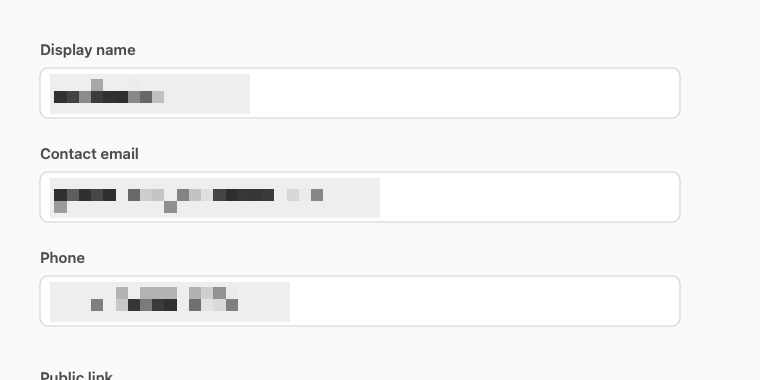
One click finds emails, phone numbers, card numbers and API keys — or every face and every line of text — and pixelates them. Review each blur before you share.

  • On-device text recognition — nothing is uploaded
  • Copy text out of any screenshot, or just one area of it
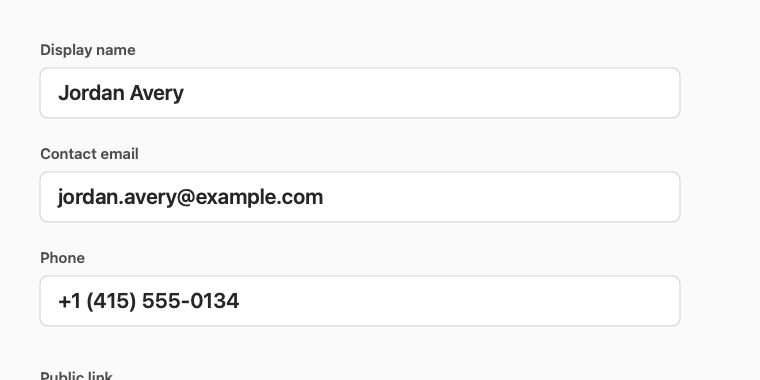
Account form showing a name, email and phone number
Before
The same form with the name, email and phone pixelated
After one click

Turn captures into step-by-step guides

Select a few captures and Annotello lays them out as a numbered guide with captions — or exports a PDF with one page per step.

  • Captions from file names, or written for you by AI
  • Combine captures side by side, stacked or in a grid
A two-step guide image generated from screenshots

Window shots that are ready for slides

Capture a window and drop it on a gradient backdrop with rounded corners and a soft shadow — perfect for docs, decks and social posts.

  • Five backdrop styles, borders and drop shadows
  • Pin any capture above your other windows as a reference
A window capture on a teal gradient backdrop
And a lot more

Built for how you actually work

Region, window or full screen

One shortcut. Drag a region, click a window, or press Return — with a pixel magnifier and color readout.

Scrolling capture

Capture an entire web page or chat thread. Annotello scrolls and stitches it into one tall image.

Screen recording

Record with system audio and microphone, trim, and export MP4 or GIF.

Grab text from anything

Copy text from images, videos or apps that won't let you select it. Works offline.

A library you can search

Find any capture by name, the app it came from, or the words inside it. Collections, favorites and Quick Look.

Optional AI with Claude

Describe a screenshot, write step-by-step instructions or alt text, and name captures automatically — with your own API key.

Presets & shortcuts

Save one-click setups like "Window → backdrop → clipboard", each with its own hotkey.

Version history

Every save keeps the previous version. Restore any of the last ten in one click.

Private by design

Captures never leave your Mac unless you share them. No account, no tracking, no cloud.

Screen recording

Recordings people can actually follow

Show every click, the shortcuts you press, and your face — then add captions in one step.

Click highlights

A ripple marks every click so viewers never lose the pointer.

Shortcut badges

Keyboard shortcuts like ⌘C appear on screen. Plain typing is never shown.

Draw while you record

Sketch on the screen mid-recording to circle what you're talking about.

Webcam bubble

A round, draggable camera bubble for walkthroughs and tutorials.

Automatic captions

Speech is transcribed on your Mac and saved as an SRT subtitle file.

Trim & export

Trim the start and end, then export MP4 or an animated GIF.

Keyboard first

Fast from anywhere

Every shortcut can be changed in Settings.

Capture region or window⌃ ⇧ C
Full screen⌃ ⇧ F
Scrolling capture⌃ ⇧ S
Start / stop recording⌃ ⇧ R
Record steps (how-to guide)⌃ ⇧ G
Grab text⌃ ⇧ T
Pin last capture⌃ ⇧ P
Open Library⌃ ⇧ L
All editor commands⌘ K
Install

Up and running in a minute

Requires macOS 15 Sequoia or later. Works on Apple Silicon and Intel Macs.

  1. Download and open the installer

    Open Annotello-1.2.1.dmg and drag Annotello into your Applications folder.

  2. Open Annotello

    macOS will say it can't verify the developer, because Annotello isn't from the App Store. Click Done.

  3. Allow it once

    Go to System Settings › Privacy & Security, scroll down to "Annotello was blocked…" and click Open Anyway. You only do this the first time.

  4. Grant Screen Recording

    The welcome guide walks you through it. Then press ⌃ ⇧ C and capture something.

Prefer Terminal? This does the same as step 3: xattr -dr com.apple.quarantine /Applications/Annotello.app
SHA-256 of the download: see latest.json
FAQ

Questions

Is Annotello free?

Yes. There's no account, subscription or trial.

Does Annotello upload my screenshots?

No. Captures, recordings, text recognition, redaction and captions all happen on your Mac. The only exceptions are features you turn on yourself: AI actions (sent to Anthropic using your own API key) and "Upload & Copy Link" (sent to Imgur).

Why does macOS warn me when I first open it?

Apps that aren't distributed through the App Store or notarized by Apple show this warning the first time. Approve it once in System Settings › Privacy & Security › Open Anyway, as described in the install steps.

Does Steps record what I type?

No. Steps captures a screenshot when you click and notes which button, menu or field you clicked. It never records keystrokes or the contents of text fields. With Accessibility permission allowed, captions can name what you clicked; without it they simply say which app you clicked in.

Why does it need Screen Recording permission?

macOS requires it for any app that captures the screen. Microphone, Camera, Accessibility and Speech Recognition are optional and only used for the features that need them.

Where are my captures saved?

In Pictures › Annotello by default. You can change the folder — including to iCloud Drive — in Settings.

How do I update?

Download the new version and replace the app in Applications. Your captures, settings and permissions are kept.

How do I uninstall it?

Quit Annotello and drag it from Applications to the Trash. Your captures stay in Pictures › Annotello until you delete them.

Does it work on Intel Macs?

Yes — the download runs natively on both Apple Silicon and Intel. macOS 15 Sequoia or later is required.

What's new

Changelog

Version 1.2.1

October 2026
  • First public release of Annotello.
  • Capture presets, screen-recording extras (clicks, keys, webcam, drawing) and automatic captions.
  • Step guides, Measure tool, ⌘K command palette and version history.

Start capturing better screenshots

Free for Mac. No account needed.

Download Annotello
Version 1.2.1 · macOS 15+ · Apple Silicon & Intel